
This release gives you more control over expert insight requests, brings your workspace identity into the emails and notifications people receive, and makes public artifacts work harder for you. You get draft-and-send control on insight requests, workspace branding across communication, a Made with Boki call to action on public artifacts, and draft recovery for public responses.
Here is what shipped.
Save insight requests as drafts
You can now save an expert insight request as a draft before it goes out. Nothing sends to the expert until you select send request.
For a content marketer building out research, that means you can draft several requests, review them, and send each one when it is ready. The Insights page filters by Draft, Awaiting answer, and Answer received, and every request shows its status in the details view, so you always know what is still waiting on you and what is waiting on someone else.
Your workspace branding in emails and notifications
Invitations, opportunity emails, and notifications now carry your workspace name and logo.
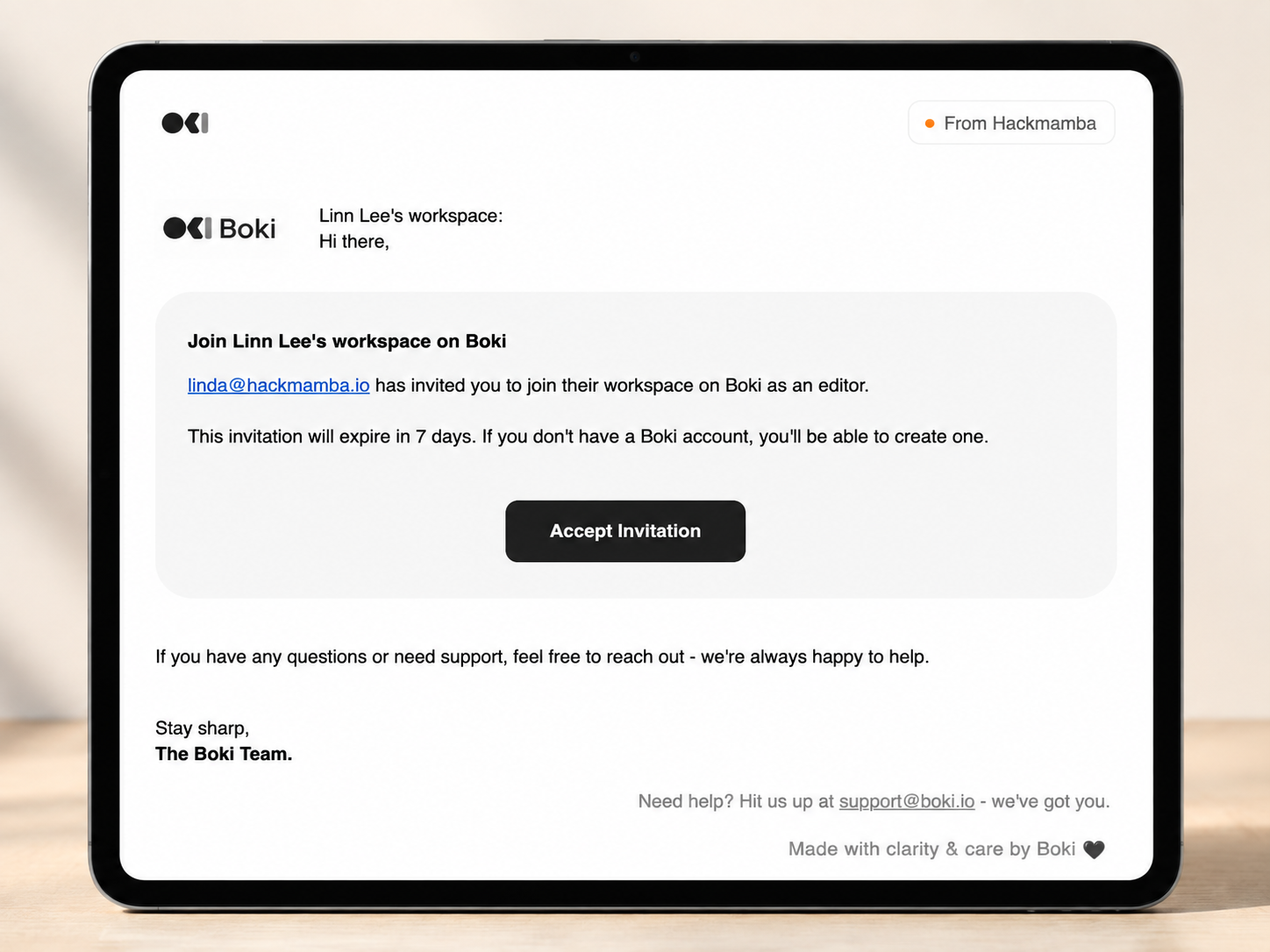
For a founder or workspace owner, the people you invite and the recipients you reach see a consistent brand instead of a generic message. Branding stays current on its own, updating when you create a workspace, rename it, or change its image.
Made with Boki on public artifacts
Public documents and public plans now include a Made with Boki section with a Get started with Boki prompt. When a visitor signs up from there, they land back on the artifact they came from.
For a growth marketer, every shared plan or document becomes a soft entry point, without any extra work on your side.
Draft recovery for public insight responses
People answering a public insight link no longer lose their work. Boki saves their response as they write and restores it if they return to the link in the same browser, then clears the local draft once they submit.
For an external expert working through a longer answer, that removes the risk of losing everything to a closed tab.
Shared reviewer history
Technical and marketing reviews are now visible to everyone with access to the document the moment a review starts, so teams stop running the same review twice. The panel has clearer empty states and separate tabs for all, marketing, and technical reviews.
Responsive editor toolbar
The editor toolbar now responds to the width of the content column, collapsing and repositioning correctly in narrow columns and resized browser windows.
Additional improvements and fixes
-
You no longer see yourself in comment mention suggestions across briefs, documents, replies, and collaborative documents, so tagging the right collaborator is faster.
-
Fixed tooltips that could reopen right after a related menu closed.
-
Fixed the feedback dialog flow from the user menu on desktop, collapsed navigation, and mobile navigation.
-
Limited the Boki AI button pulse animation to two cycles before you interact with it.
-
Feedback now saves before any background processing runs, so submitting feedback stays fast and is not blocked if a downstream step fails.
What’s Next
There is more coming across the workspace. Have feedback or want early access to what’s next? Reach out to us on Discord.