
This release makes Boki easier to use away from your desk, sharpens social publishing and reviews, and hardens reliability for large documents. You get responsive mobile and tablet layouts, empty-post detection for X threads, clearer review guidance, and more reliable autosave.
Here is what shipped.
Work anywhere: mobile and tablet
Core workflows now hold up on mobile and tablet. Responsive layout work spans workspace settings, opportunity monitoring, distributions, social scheduling, post creation, and post detail views.
If your team works away from a desktop, this closes a real gap. Controls, menus, panels, media previews, and action buttons fit smaller screens more naturally, so you can review work, manage opportunities, prepare posts, and publish without waiting to get back to a desk.
Create and schedule social posts with fewer errors
Social post creation is smoother, and Boki now catches empty posts before they go out. Reviewer controls are easier to manage on smaller screens, media and action buttons have larger touch targets, and the calendar behaves consistently through the scheduling flow.
Boki now detects empty posts within X threads before you publish or schedule them. Drafts still compose freely without showing required-field errors before you are ready to publish.
Monitor opportunities more easily
Opportunity monitoring is easier to control. Platform selection and filtering are more responsive on mobile and tablet, and active filters use a consistent shared display.
That makes it easier to see which platforms, keywords, and conditions are shaping your results.
Clearer guidance before a review
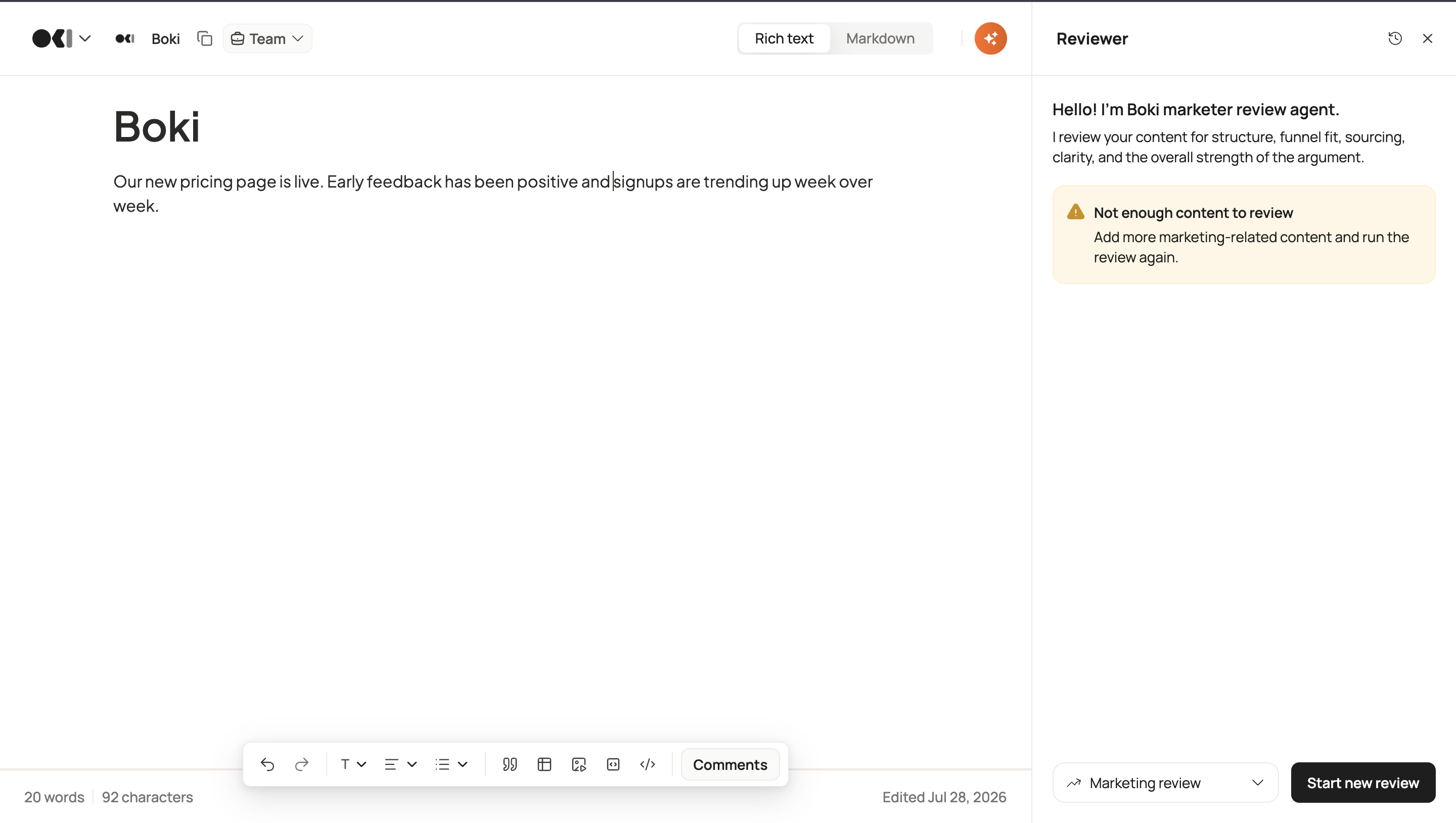
Reviews now tell you when a draft is too thin to review well. Marketing and technical reviews distinguish between empty content and content that has too little to work with, and they require at least 50 words before running.
For an editor or reviewer, this protects review capacity. Instead of spending a review cycle on a draft that was never ready, you get a plain message telling you more content is needed first.
Smoother collaboration with comments
Inline comments now stay where they belong. Comment composers sit inside the active content column instead of overlapping navigation or side panels, and clicking a comment highlights its text more reliably.
On public documents, Boki now highlights every matching text range connected to the selected comment, which makes public feedback easier to follow.
More reliable autosave for large documents
Large documents now compress snapshot data during autosave. This prevents the request-size failures that could interrupt autosave on longer or more complex documents. Boki falls back to the previous format when compression is not available.
Clearer review report filenames
Downloaded review reports now include the date and time in their filenames. Marketing and technical review PDFs are easier to identify, organise, and match to the right review session.
Additional improvements and fixes
-
The Researcher Agent composer grows for longer prompts while staying bounded and scrollable.
-
The document export-format menu is steadier and less likely to close while you move between the trigger and the format options.
-
Distribution and social-scheduler panels improved across tablet and mobile, including title handling, action-menu placement, and media stacking.
-
Sidebar expansion controls and dashboard breadcrumbs handle overflow and interaction better.
-
Comment interaction within the editor is more consistent, without treating the comment container as a button.
-
Behind-the-scenes product analytics now cover briefs, articles, plans, experts, insights, distributions, social posts, short links, components, and opportunity monitoring, helping us improve the workflows that matter most.
What’s Next
This release brings Boki closer to working smoothly wherever you do. There is more coming across the workspace. Have feedback or want early access to what’s next? Reach out to us on Discord.