
This release brings AI researcher artifacts, drag-and-drop file context, briefs in the review flow, a responsive mobile dashboard, and reliability fixes. Here’s what changed and why it matters.
The AI Researcher Gets a Real Workflow
The researcher agent has always been useful for surfacing ideas and information. The problem was what happened after. The output lived in chat, you read it, copied what you needed, and moved on. That’s changing with this release.
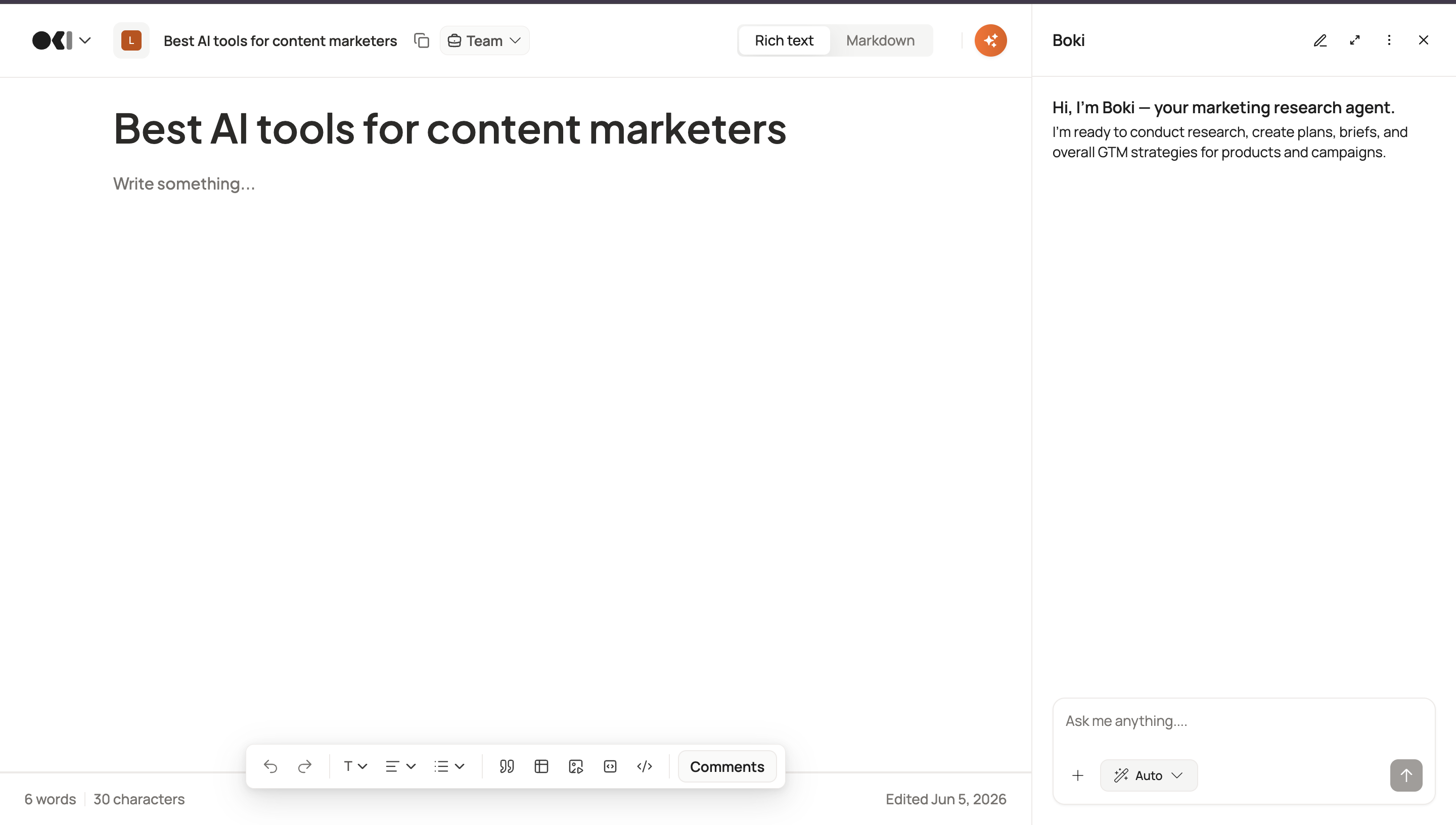
The researcher now has a proper action layer. When the AI responds with a content outline, keyword cluster or research summary, it surfaces as an artifact at the bottom of the response. One click to accept it and pull it into your workflow. One click to reject it and keep iterating. No copying, no tab switching.
You can also bring your own context into the session. Drop a PDF brief, a competitor analysis, or a data export directly into the researcher chat and the AI uses it as the foundation for its response. For SEO and growth teams especially, this means outputs grounded in your actual research rather than general knowledge.
AI response streaming is also noticeably smoother this release, so the whole loop from prompt to action feels faster.
A Redesigned Review Experience
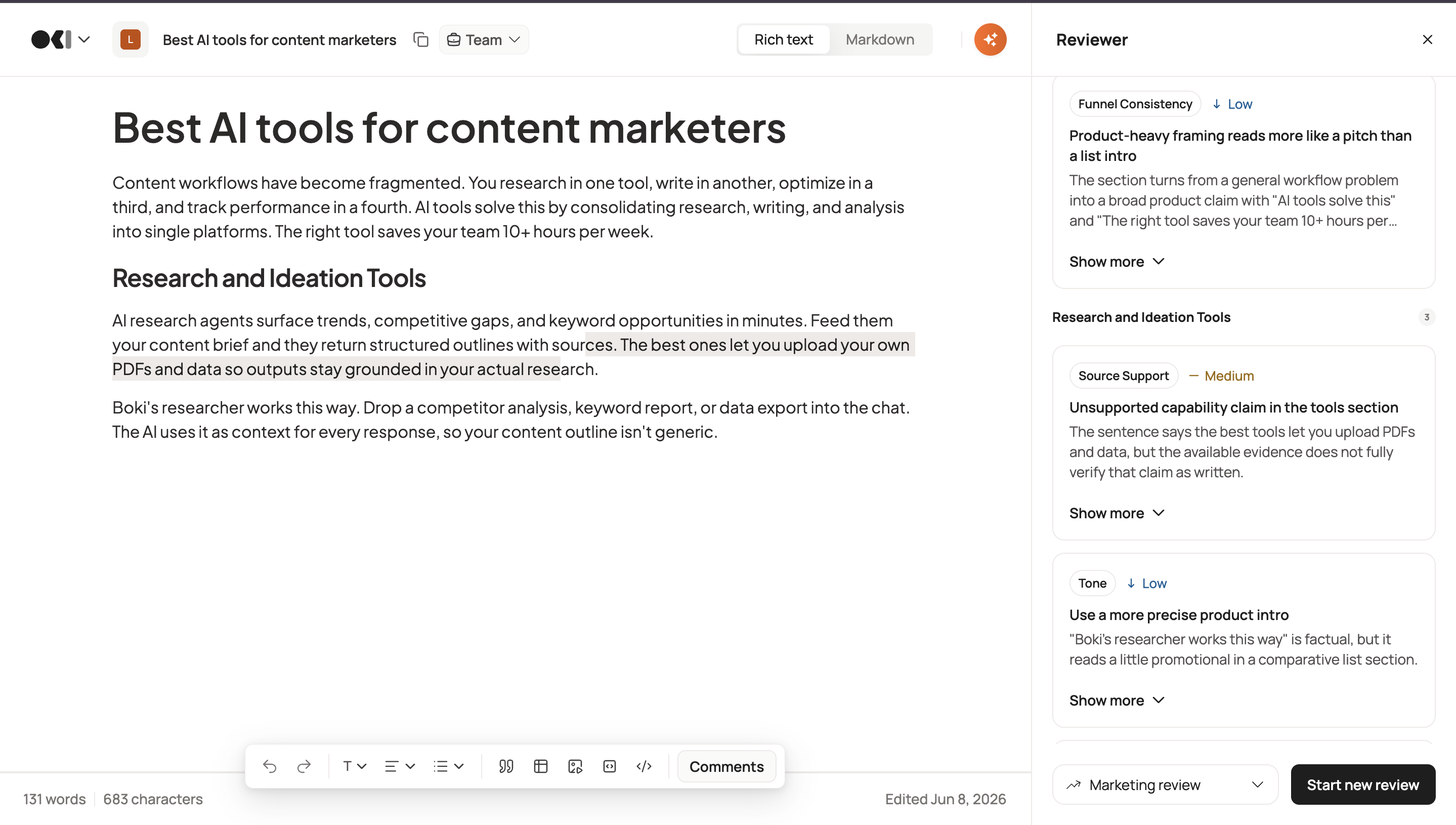
The reviewer agent has been fully redesigned. The sidebar is cleaner, the interaction flow is more intuitive, and it now works across articles and content briefs.
Open any article, click the Boki AI button in the top right, and select Reviewer. Choose between a marketing review or a technical review depending on what feedback you need. The agent checks for structure, funnel fit, sourcing, clarity, and overall argument strength.
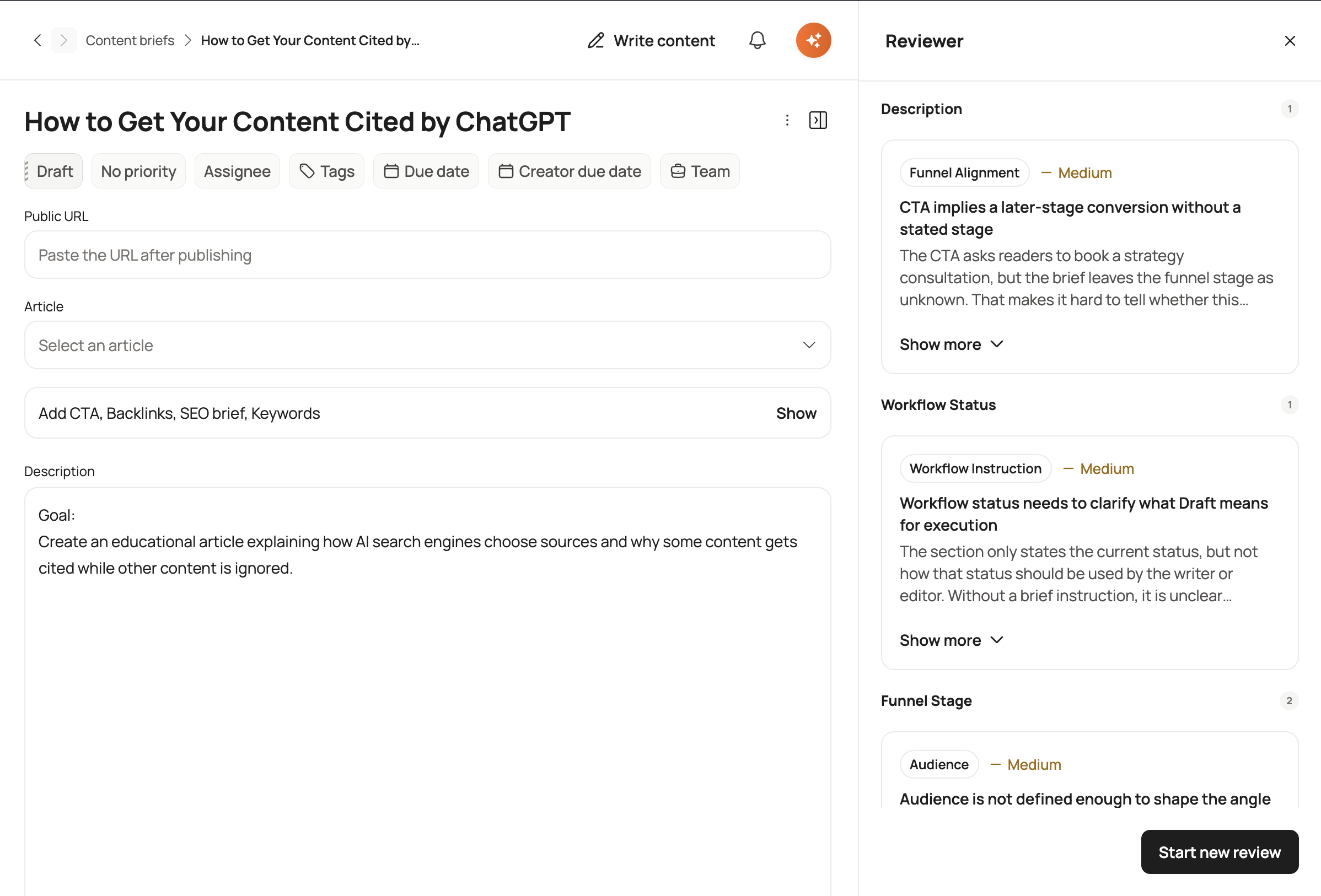
The same experience now applies to content briefs too. Open a brief, launch the reviewer, and get feedback on the brief itself before a single word of the article is written.
Reviews Now Start With the Full Picture
One of the most common friction points in content review is context gaps. A reviewer reads a draft but doesn’t know the brief it was written to, so they ask questions, the writer goes back and forth, and approvals slow down.
That’s fixed. Content briefs are now surfaced inside the review workflow. When a reviewer opens a piece for approval, the brief is right there. Strategic intent, target audience, key messages, all visible without leaving the page.
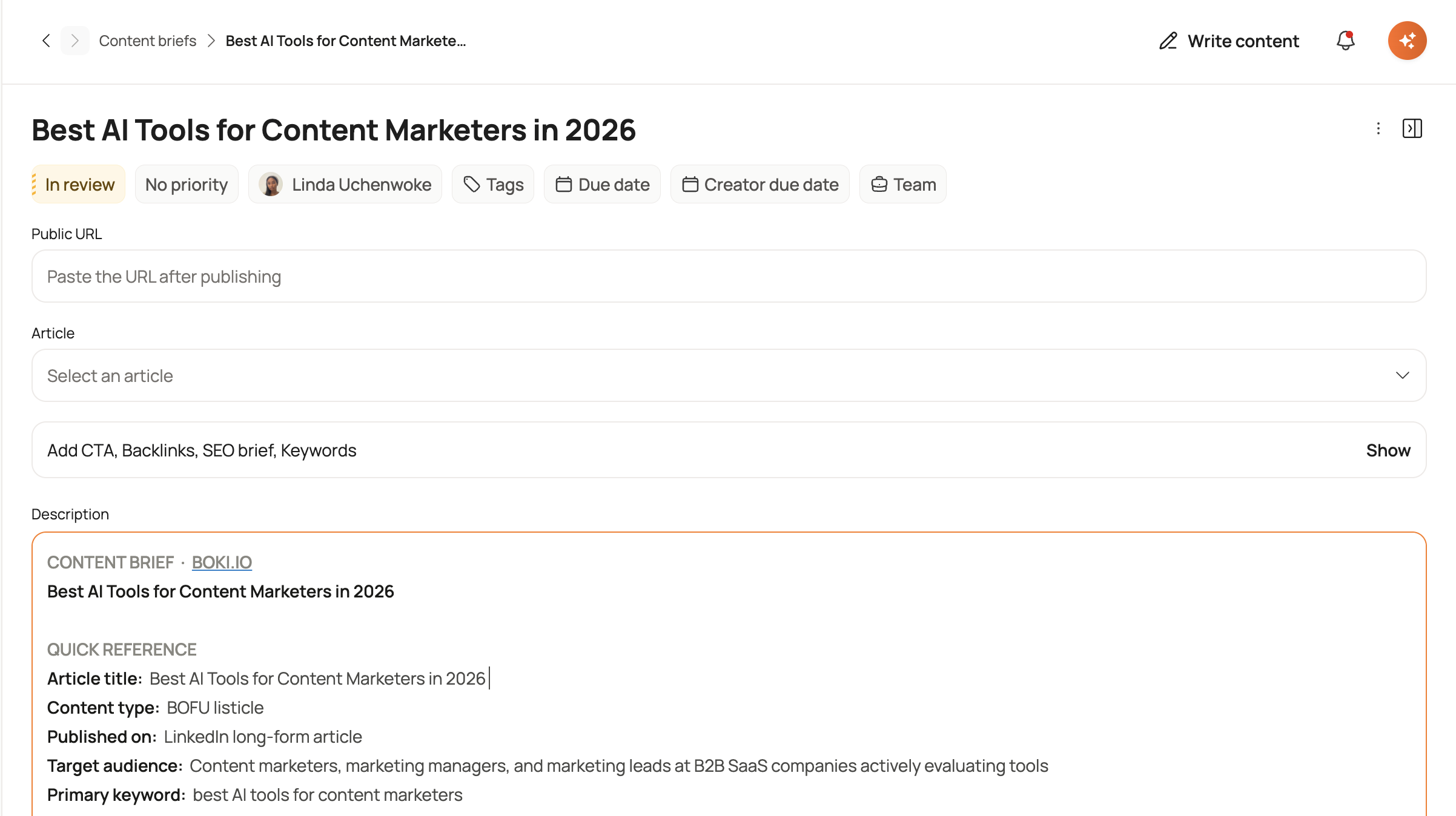
This is a small change with a meaningful impact on review cycle time, especially for teams running high volumes of content across multiple formats.
Boki Works on Mobile Now
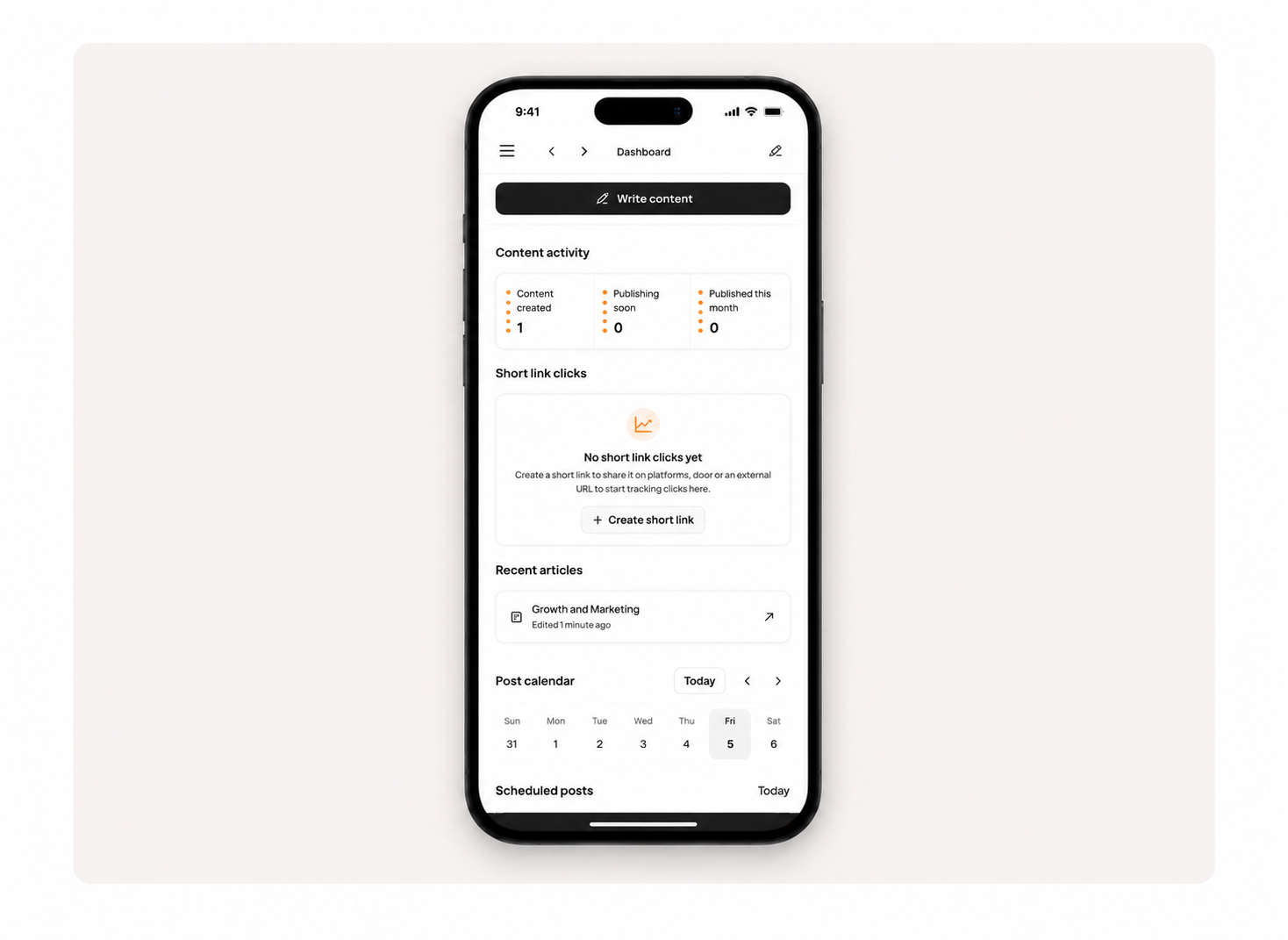
The dashboard, content calendar, assignments panel, and content stats are all fully responsive on tablets and smartphones. The rich text editor toolbar and footer adapt cleanly to smaller screens too.
This matters most for team leads and founders who review work on the move, and for social media managers who need to check scheduled content or respond to approvals outside of office hours. Boki is no longer a desktop-only tool.
Reliability and Collaboration
A few fixes in this release worth calling out because they affected real workflows.
Inline comments no longer disappear. There was a bug where document collaboration state changes could cause inline comments to vanish mid-session. That’s resolved. Comments persist correctly across editing sessions.
Version history is more stable. Snapshot management has been improved with better caching. Reverting to a previous version now behaves predictably and preserves unsaved work.
Duplicate notifications are gone. Users were receiving multiple email and in-app notifications for the same event. That’s now deduplicated, so you get one alert per action.
Social avatars stay fresh. Connected account profile images in the social calendar now auto-refresh when tokens expire instead of showing broken images.
The Novu notification session is also live. In-app alerts for comments, mentions, and reviews now fire in real time without relying on email.
What This Means for Teams
Content marketers get a more reliable collaboration layer. Comments stick, version history is trustworthy, and reviewers now have brief context without being asked for it.
Social media marketers get a cleaner notification experience and social avatars that don’t break. The mobile dashboard means checking scheduled content is no longer tied to a laptop.
Growth marketers and SEO teams get the most out of the researcher improvements. File drop and artifact workflows mean AI outputs are more relevant and easier to act on. Less friction between research and execution.
Team leads and founders get a platform that’s faster to navigate, more stable under real-time collaboration, and accessible from any device for on-the-go reviews.
What’s Next
This release brings research, review, and distribution into one workflow, so teams spend less time moving between tools and more time shipping content.
The researcher artifacts workflow and the redesigned reviewer are now in beta. Interested in early access or have feedback? Reach out to us on Discord.