
This release cycle brings features across distribution, planning, and discoverability. You can now publish straight to LinkedIn Company Pages, briefs carry due dates with reminders, public articles can be opened up to search engines, and engagement on your social posts syncs into Boki on its own. Technical teams also get MCP token generation in agent settings.
Here is what shipped.
Publish to LinkedIn Company Pages
You can now connect a LinkedIn Company Page to your workspace and publish social posts to it directly from Boki.
If you manage social for your company, the flow is simple. Connect the page from your linked social accounts, compose your post in the social scheduler, pick the LinkedIn page as the destination, and publish or schedule it. The post goes live on your Company Page and you never leave Boki.
Due dates and reminders on briefs
Briefs now support due dates. Each brief carries two dates: a due date for the piece overall, and a creator due date for the person writing it. Set them on the brief and everyone working on that piece knows when their part needs to be done.
Reminders come with it. Turn on due date reminders in your workspace’s content workflow settings, and a reminder option appears right in the date picker when you set either date on a brief. Pick a future date, choose your reminder, and you get email and in-app notifications as the deadline approaches.
If you plan an editorial calendar, this closes a gap. Deadlines used to live wherever your team kept them, a spreadsheet, a project board, someone’s memory. Now they live on the brief itself, next to the work.
Search engine indexing for public articles
Public articles can now be indexed by search engines. Set an article’s visibility to Public, and a new option appears in the same dropdown: Allow search engines to index. Check it, and Boki handles the supporting pieces, including robots.txt and sitemap updates.
For a founder publishing content to grow an audience, this matters. Content that only reaches people who already have the link works hard for little return. Opening eligible articles to organic search gives every published piece a longer life.
Engagement syncs on its own
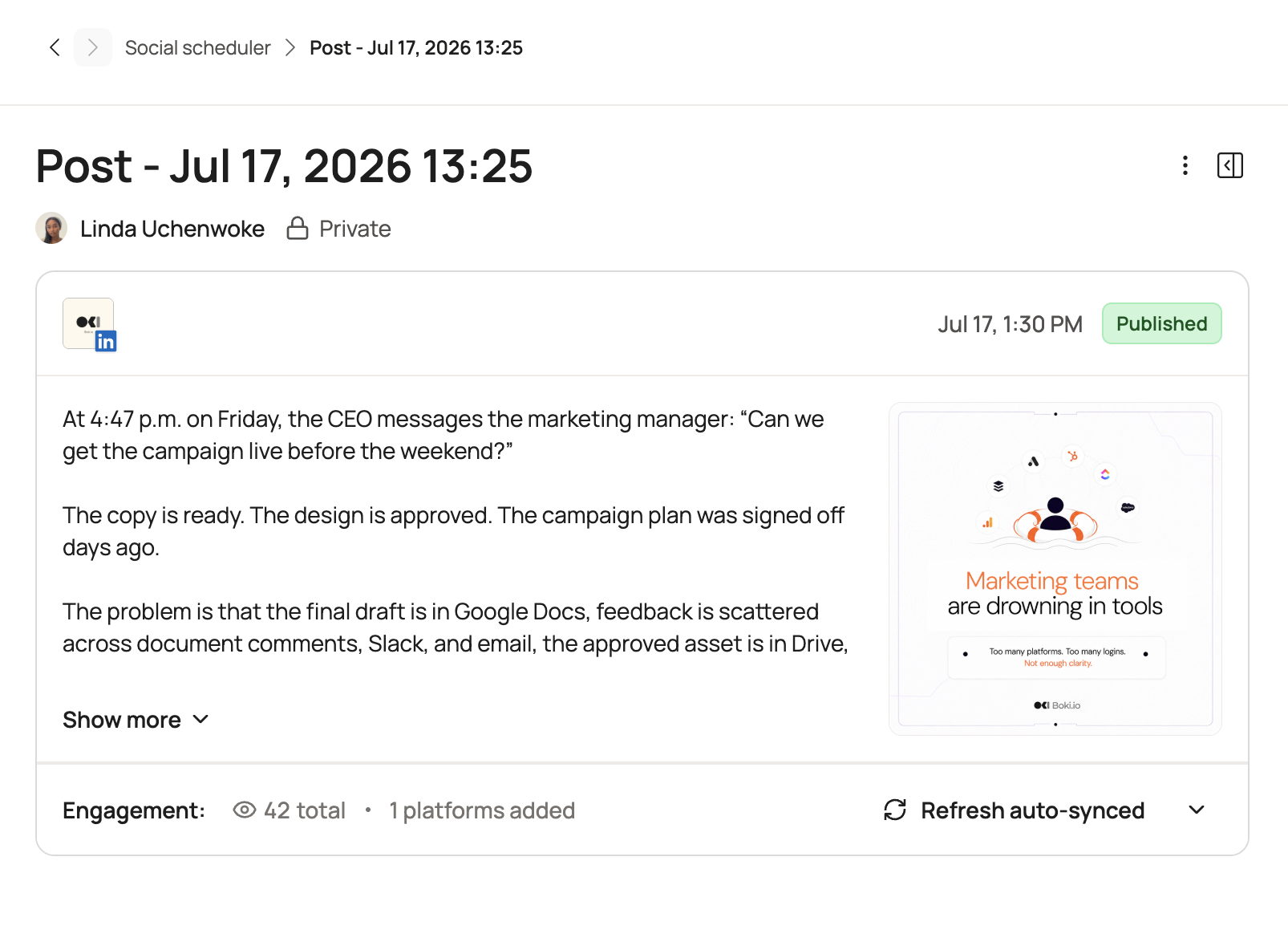
Once your post is live, Boki pulls in its engagement automatically. Open the post in your social scheduler and the views and interactions are already there, with a refresh option for the latest numbers. You write, publish, and track performance in one place.
Under the Hood
Agent settings now include MCP token generation. Teams extending Boki’s agents with their own tools can generate a token with a name and expiry, then paste it into their MCP client config.
Improvements
-
Expanded the Experts and Insights experience, including expert management, insight creation, and filtering.
-
Improved responsive layouts for the distribution table and calendar views.
-
Enhanced social post calendar cards, month and week views, and overflow handling.
-
Refined the settings experiences for content workflow, workspace, billing, credits, storage, membership, and connections.
-
Reorganized account settings into focused flows for changing your name, email address, password, and profile photo, adding a password, and deleting an account.
-
Improved public document and public insight presentation.
-
Improved component library interactions, including filtering, sorting, creation, and editing.
-
Updated content and distribution data tables for a more consistent workspace experience.
Reliability Fixes
-
Component library results: Older search, sort, and filter requests no longer overwrite newer results.
-
Brief attachments: Deleted attachments no longer reappear when brief data refreshes.
-
LinkedIn flows: Connection, disconnection, and scheduled post flows are more stable.
-
Sitemaps: Fixed sitemap-related issues.
-
UI polish: Improved behavior around title placeholders and account connection flows.
What’s Next
This release brings your deadlines, social distribution, and search visibility closer to where the work happens. There’s more coming across the workspace. Have feedback or want early access to what’s next? Reach out to us on Discord.